Leatherman Multi-Tool Handles: Mastering Tactile Grip with Dot Grid Textures
7 days ago
2 min read
A multi-tool is a study in precision and utility. When you sketch a Leatherman, the handle is the most important touchpoint. If the texture looks sloppy, the whole tool feels like a cheap toy instead of a rugged piece of EDC gear.
The struggle with machined knurling
Most designers try to hand-draw the grip on a tool handle. It usually starts well, but by the tenth row of dots, the spacing drifts. One side looks dense while the other looks sparse.
This inconsistency kills the "machined" look. A Leatherman is a manufactured object. It requires a level of mathematical rhythm that is nearly impossible to maintain by hand when you are trying to move fast.
Defining the grip with the Dot Grid Tile
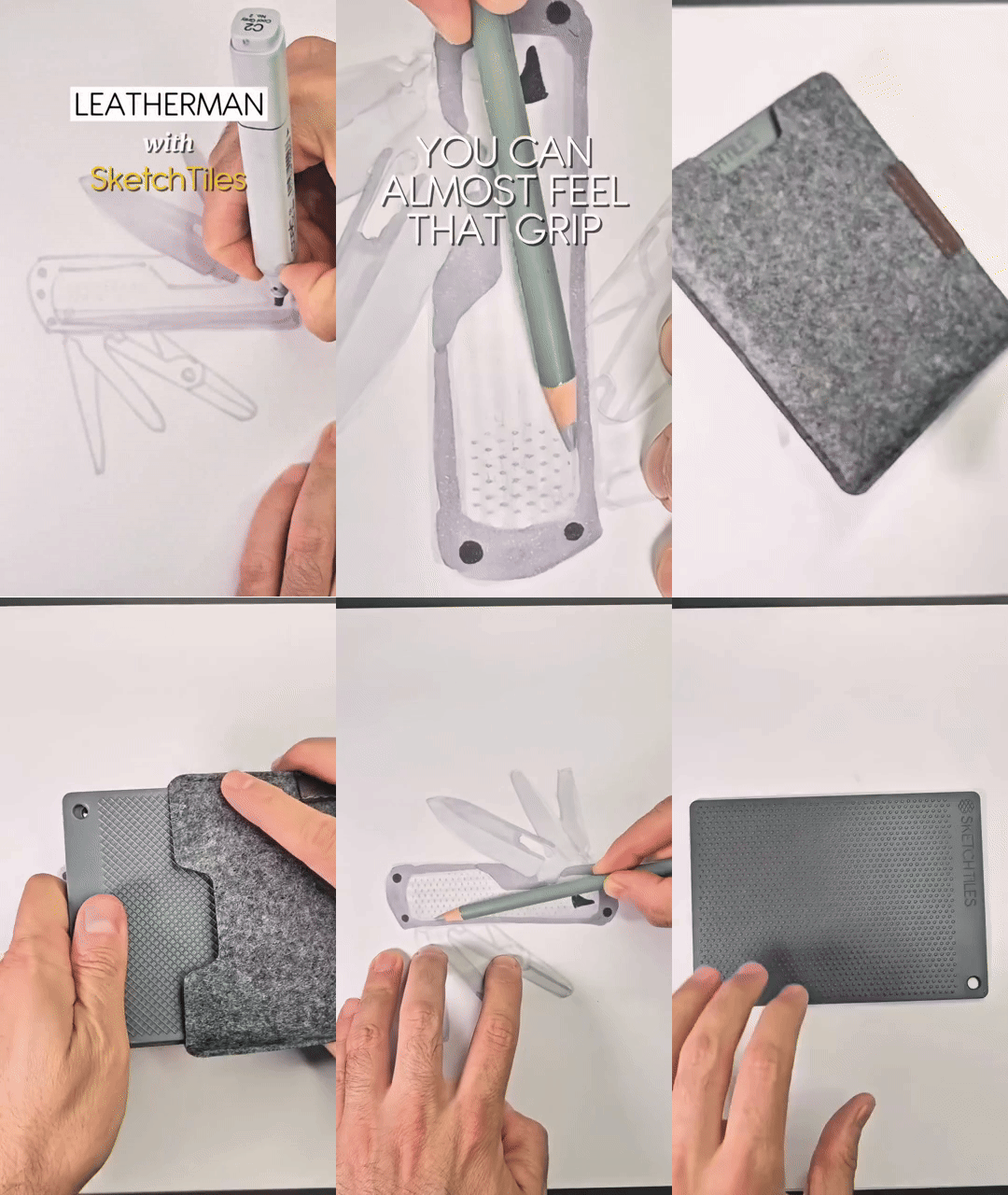
The Dot Grid Tile solves this by providing a fixed physical guide. For this Leatherman sketch, the tile sits under the paper. You aren't guessing where the next point of the grip goes.
By tracing through the Dot Grid, you get a perfectly spaced pattern across the entire handle surface. It creates that specific, "grippy" feel that defines high-quality stainless steel tools. You focus on the pressure of the marker rather than the placement of the dots.
Subtle texture vs. overworked drawings
The goal isn't to draw every single indentation on the metal. It’s about suggesting a material property. The Dot Grid provides a framework that is subtle enough to stay clean but strong enough to feel real to the viewer.
Using a physical stencil keeps your sketch from looking overworked. You get the information across in seconds. This allows you to maintain your flow and move on to the next part of the design without getting bogged down in repetitive detailing.
Where to use this
• Flashlight bodies for better handling
• Camera body thumb rests
• Surgical tool handles
• High-end kitchen shears
• Bike handlebar end caps
• Anywhere a repeated pattern defines the material.
Try this in your next sketch
How do you decide between a subtle texture and a heavy-duty grip when sketching handheld tools?
What are SketchTiles
SketchTiles are physical texture stencils built for designers, by designers. Place a tile under your page, trace with any pencil or marker, and the pattern transfers onto your sketch. Each set includes four double-sided tiles, etched with eight precise patterns: Diagonal Lines, Crosshatch, Isometric Dot Grid, and Hexagonal Grid.
SketchTiles are available as The Essentials Set and the Essentials Complete Set. Shop on Amazon.




Comments