Handheld tools live or die by the grip. An FPV controller needs to look like it belongs in a hand, not just on a screen. If the texture looks sloppy, the ergonomics look unconvincing.
Hand-drawing a grip pattern on a compound curve is a trap. One slightly crooked line or uneven gap breaks the perspective. The viewer stops seeing a product and starts seeing a drawing error. It kills the "feel" of the sketch.
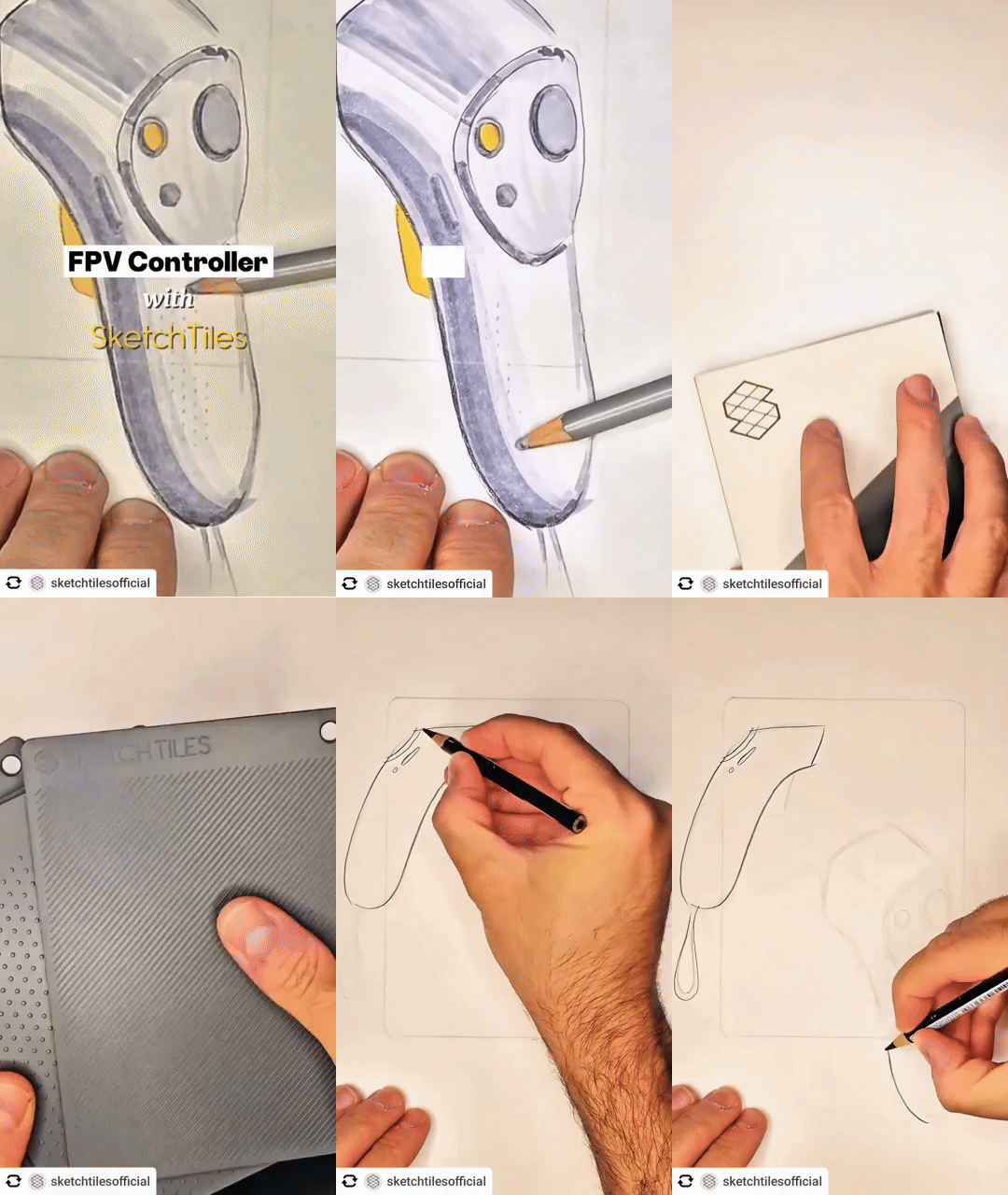
I use the Crosshatch tile for the handle and the Isometric Dot Grid for the shadow. Instead of fighting with a ruler or freehanding hundreds of tiny intersections, I lay the tile down and sweep. The pattern stays locked to the page while I focus on the pressure of the marker.
Consistency is the silent communicator. When the texture spacing is perfect, the brain stops looking at the lines and starts feeling the material. It reads as molded rubber or knurled plastic instantly. This allows the sketch to communicate "tactile" without needing a verbal explanation.
The trap of the manual grip pattern
Drawing a grid on a curved surface is a high-risk move. If your spacing drifts by even a millimeter, the handle looks warped. You end up over-thinking the pattern instead of the actual shape of the controller.
Grounding the form with technical textures
I used the Crosshatch tile to define the contact points where the pilot’s palms rest. For the shadow underneath, I shifted to the Isometric Dot Grid. This creates a technical, "engineered" look for the ground plane that doesn't compete with the main subject.
Why consistency defines the material
A viewer perceives quality through repetition. If a texture is perfectly uniform, it suggests a manufactured finish. Using a physical guide ensures that the grip looks like a deliberate design choice, not a decorative afterthought.
Where to use this
• Power tool handles and triggers
• Camera body wraps
• Bicycle and motorcycle grips
• Surgical instrument handles
• Automotive steering wheels
Anywhere a repeated pattern defines the material.
Try this in your next sketch
When sketching a handheld product, try applying your texture only to the areas where the skin would actually make contact. Does the ergonomic story become clearer?
What are SketchTiles
SketchTiles are physical texture stencils built for designers, by designers. Place a tile under your page, trace with any pencil or marker, and the pattern transfers onto your sketch. Each set includes four double-sided tiles, etched with eight precise patterns: Diagonal Lines, Crosshatch, Isometric Dot Grid, and Hexagonal Grid.
SketchTiles are available as The Essentials Set and the Essentials Complete Set. Shop on Amazon.




Comments